 Voxor
Voxor Slack
Slack Gmail
Gmail Notion
 ChatGPT
 Cursor
 WhatsApp
Free
Start hereFind your flow.
$0forever
No card. No countdown.Start free2,000 words / week
- Basic AI cleanup
- 50+ languages
- Works in any app
- Cloud transcription
Your voice, everywhere you write
Thoughts don’t arrive one keystroke at a time.
Speak naturally. Voxor turns it into clear text, in any app.
2,000 words a week, free. No credit card.

“Hey Alex, um, the first draft is ready. Could you take a look?”
Hey Alex, the first draft is ready. Could you take a look?
Illustrative dictation examples
From the first thought to the final full stop
Pause. Ramble. Change your mind mid-sentence.
Voxor tidies the words, without losing the thought.
“Um, hey, so, can we push the meeting to Thursday? Uh, mornings don’t work for me.”
Illustrative examples. App-aware tone is included in Pro.
Right where you’re already writing.
In your words, at your own pace.
Clean text, ready in your app.
It gets a little more you.
That tricky surname. Your second language.
The sign-off you’ve typed a thousand times.
Make Voxor feel like second nature.
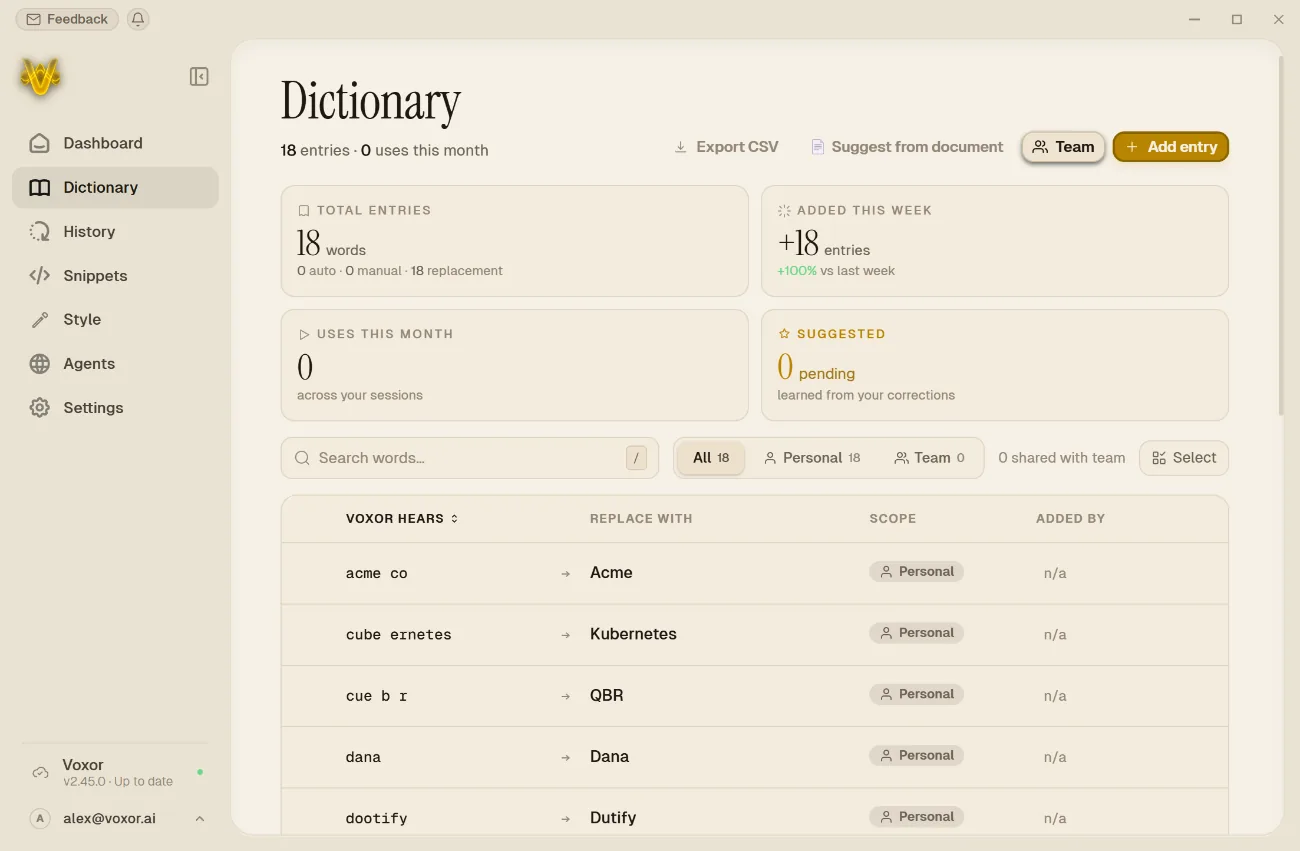
Add your own terms, or let your dictionary learn from documents and corrections. Speak in 50+ languages, and switch mid-sentence.
Say a snippet trigger to insert a saved sign-off, address, or reply. Hold a key and flick your mouse with Quick Picker to reach the tool you need.
Review your history and see what AI changed. Recordings are saved every second and recovered after a crash. Timed Incognito keeps no session history.
Connect a voice agent to n8n, Make, Zapier, or your own webhook. Your workflow runs, and its reply comes back to Voxor.
Included in Ultra. Recording shows the mobile beta.
And when you need a little more
Dictation comes first. Instruction mode takes it further. Ask Voxor to draft, shorten, or rewrite with a spoken instruction.
Some thoughts are just for you.
In Local Mode, speech recognition and AI cleanup both run on your computer. Your audio never needs to leave it.
See how your words stay yoursYour computer
Cloud processing is available when you choose it. Local Mode requires downloaded models and compatible hardware. If a required model is missing, Voxor reports an error instead of silently switching to the cloud. Advanced Local Mode is included in Ultra.
Free to start. Easy to make your own.
Find your flow.
$0forever
No card. No countdown.Start free2,000 words / week
Make it your everyday.
$12/ month
144 billed yearly · USDChoose ProUnlimited words
Go beyond dictation.
$18/ month
216 billed yearly · USDChoose UltraEverything in Pro
A shared voice for your team.Shared dictionaries, snippets, and one place to manage it.
Voxor for teamsYes. The Free plan includes 2,000 words every week, basic AI cleanup, and cloud transcription in 50+ languages. No credit card is required.
Voxor is available for Windows 10 and 11 (x64) and macOS on Apple Silicon. It inserts text wherever your cursor is: emails, documents, chat, your browser, or your IDE. Android and iOS are in beta.
Speech recognition and AI cleanup both run on your machine in Local Mode. The required local models must be installed. If one is missing, Voxor reports an error rather than silently switching to the cloud. Advanced Local Mode is included in Ultra.
Once your local models are downloaded, Local Mode processes your speech and cleans up the text on-device. Voxor provides a 24-hour offline grace window for quota checks. Available models and performance depend on your hardware.
Give Voxor an instruction to draft text, or select existing text and ask it to rewrite, shorten, or change the tone. The result is placed in your app so you can review it.
Connect an agent to a webhook, an automation tool such as n8n, Make, or Zapier, or your own endpoint. Speak a command, your workflow runs, and its reply returns to Voxor. Voice agents are included in Ultra.
No. Your words are not used to train AI models. Local Mode also keeps speech recognition and AI cleanup on your computer.
You’ve got things to say.
2,000 words a week. Yours, free.